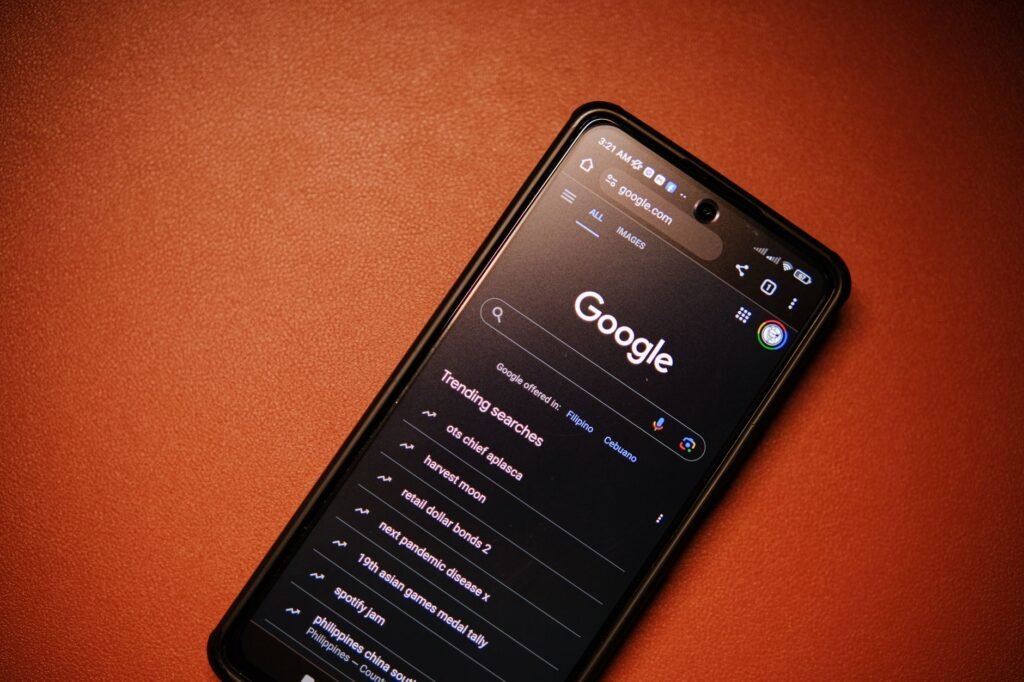
If you have noticed a new button appearing below articles in Google Search results on mobile — labelled “Follow” or showing suggested content cards after reading a post — you are looking at one of the most significant changes to how Google sends traffic to websites in 2026. Google preferred content is the mechanism behind Google Discover and the Follow button feature that lets users subscribe to content from specific websites directly inside Google. Understanding how it works and how to optimise for it is one of the highest-leverage things a small business or content website can do right now to build a consistent, growing source of free traffic.
This guide covers exactly what Google preferred content is, how the Follow button works, what makes content eligible to appear in Google Discover, and the specific steps you can take to start getting your posts recommended to the right people — without paying for ads or building a social media following from scratch.
What Is Google Preferred Content?
Google preferred content refers to the personalised content recommendations Google serves to users based on their search history, browsing behaviour, and topics they have explicitly followed. It appears in two main places: the Google Discover feed (the card-based content feed on the Google app and Chrome mobile homepage) and the Follow button that appears below articles in Google Search results on mobile devices.
When a user reads an article and taps the Follow button that appears beneath it, they are telling Google they want to see more content from that website or on that topic. Google then includes your future posts in their Discover feed automatically — essentially giving you a direct subscription relationship with that reader, mediated through Google, without requiring them to hand over their email address or follow you on social media.
The scale of this opportunity is significant. Google Discover serves content to over 800 million users globally. A single post that gets traction in Discover can generate tens of thousands of visitors in a matter of days — far more than the same post would receive from organic search in its first months of ranking. For small business websites and content creators who have been building their content library, this is the distribution channel that can make all that work pay off much faster than waiting for search rankings to climb.
How the Google Follow Button Works
The Follow button is a relatively recent addition to Google’s mobile search experience. When a user reads an article that appears in Google Search results on a mobile device, a prompt appears beneath the article content — typically reading “Follow [website name]” or showing a follow icon alongside the publication name.
When a user taps Follow, Google registers their interest and begins including that website’s content in their personalised Google Discover feed. They do not need to download an app, subscribe to an email list, or create an account with your website. The relationship is entirely managed within Google’s ecosystem.
For publishers and website owners, this means every piece of content you publish has the potential to build a subscriber audience inside Google — people who will automatically see your next post in their feed without you having to reach them again through search. Over time, a website with many Google followers accumulates a built-in audience that generates traffic to every new post on publication day, independently of how long that post takes to rank in traditional search results.
This changes the economics of content marketing significantly. A website with 10,000 Google followers publishes a new post and gets 2,000 to 5,000 visitors on day one from Discover, before the post has had time to rank for anything. That early traffic also sends positive engagement signals to Google — high click-through rates and long dwell times — which then accelerates the post’s rise in traditional search rankings.
What Is Google Discover and Why Does It Matter?
Google Discover is a personalised content feed that appears on the Google app homepage and the New Tab page in Chrome on mobile. Unlike Google Search, which responds to queries, Discover proactively surfaces content it predicts a user will find interesting based on their activity and stated interests — including topics and websites they have followed.
Discover traffic has several characteristics that make it particularly valuable for small business websites and blogs. First, it is entirely free — there is no paid placement in Discover, only organic eligibility. Second, Discover traffic arrives in large, rapid bursts rather than the slow steady drip of search traffic. A post that gets picked up by Discover can receive more traffic in 48 hours than it would receive from search in its first three months. Third, Discover users are in a passive browsing mindset — they are open to discovering new content — rather than a competitive search mindset where your listing has to beat nine others on a results page.
The catch is that Discover eligibility is not guaranteed. Google controls which content it surfaces and the algorithm is not fully transparent. However, the factors that influence Discover inclusion are well understood from experience across thousands of publishers, and they are largely the same factors that produce good SEO performance generally.
How to Optimise for Google Preferred Content and Discover
1. Publish consistently on a regular schedule
Google Discover strongly favours websites that publish regularly. A site that publishes two to three times per week gives Google’s systems more opportunities to surface its content than one that publishes sporadically. Consistency also builds the Follow audience over time — each new post is an opportunity for another reader to tap the Follow button after reading it in search results. Set a publishing schedule you can maintain for 12 months and stick to it. The compounding effect of a consistent content library is what ultimately drives Discover traffic at scale.
2. Write genuinely compelling headlines
In Google Discover, your headline is almost everything. Users scrolling their feed make click decisions in under a second based primarily on the headline and the featured image. A compelling headline creates enough curiosity or communicates enough clear value that the user stops scrolling and taps through. The headline formats that perform best in Discover are those that create a knowledge gap, promise a specific outcome, or challenge a common assumption. A headline like “The reason your website is losing customers before they even read a word” will consistently outperform “Website conversion tips” in a Discover feed environment.
3. Use large, high-quality featured images
Google Discover cards display a featured image alongside the headline. Images must be at least 1,200 pixels wide to be eligible for the larger card format, which receives significantly more clicks than the smaller format. Blurry, low-quality, or stock images that look generic perform poorly. Original photography, clear and visually striking images, and images with a clear focal point that is legible at thumbnail size all outperform generic stock photos. In WordPress with Rank Math, verify the max-image-preview:large setting is enabled — this allows Google to display your images at full size in Discover cards.
4. Cover topics with genuine audience interest
Google Discover uses topic interest signals from its users to decide which content to surface. Content on topics that many Google users have demonstrated interest in — either through search or through prior Discover engagement — is more likely to be surfaced to relevant users. This is why keyword research and Discover optimisation reinforce each other: targeting topics people genuinely care about helps both search rankings and Discover eligibility simultaneously. Look at your Google Search Console data to identify which topics are already generating impressions for your site and expand your coverage of those areas.
5. Focus on E-E-A-T signals
Google’s quality evaluation framework — Experience, Expertise, Authoritativeness, and Trustworthiness (E-E-A-T) — applies as much to Discover eligibility as to search rankings. Content that demonstrates genuine first-hand experience, specific expertise, and trustworthy authorship is more likely to be surfaced in Discover than generic or thin content that lacks a clear author perspective. Practical signals include having a complete About page, using author bylines with bio pages, earning backlinks from reputable sites in your industry, and having a professional website that clearly describes what you do and for whom.
6. Improve your click-through rate from search
Google uses engagement signals — click-through rate, dwell time, and return visits — as inputs into both search rankings and Discover selection. A post that gets a high proportion of clicks relative to its impressions in search results, and that keeps readers on the page for a meaningful amount of time, signals to Google that the content is valuable and worth surfacing to more people. Improving click-through rate from search starts with meta titles and descriptions. Monitor click-through rates in Google Search Console — even small improvements compound significantly across a library of posts.
Technical Requirements for Google Discover Eligibility
Beyond content and engagement factors, there are technical requirements for Discover eligibility worth verifying. Your site must be indexed by Google — submit your sitemap to Google Search Console if you have not already. Your pages must pass Google’s Core Web Vitals thresholds: Largest Contentful Paint under 2.5 seconds, Cumulative Layout Shift under 0.1, and Interaction to Next Paint under 200 milliseconds. Your site must be mobile-friendly, since Discover is primarily a mobile experience.
Enable structured data markup where appropriate — Article and BlogPosting schema help Google understand your content type and improve how your posts appear in Discover cards. In WordPress, Rank Math handles structured data automatically when correctly configured. Read our guide on schema markup for small business websites for the full technical setup walkthrough.

How to Track Your Google Discover Performance
Google Search Console provides a dedicated Discover performance report. If your site has received Discover traffic, the tab will appear automatically under the Search results section. It shows impressions, clicks, and click-through rate for content that has appeared in Discover, broken down by individual post. Use this data to identify which post formats, headline styles, and topic areas perform best in your Discover feed.
The Discover tab only appears in Search Console once your site has received Discover traffic. If you are not seeing it yet, focus on content quality, headline strength, and publishing consistency — eligibility builds gradually as your domain authority and content library grow. Most sites with consistent content publishing and basic technical SEO in place start seeing their first Discover traffic within four to six months. Get in touch with Aesthetic Web Studio to discuss how your website can be structured to maximise Google Discover eligibility, or read our complete guide on how to rank on Google for the full picture of organic visibility in 2026.
How Long Does It Take to Get Google Discover Traffic?
There is no guaranteed timeline because inclusion is algorithmic rather than deterministic. Some websites see their first Discover traffic within weeks of launching strong content. Others with consistent publishing see Discover become a meaningful traffic source after three to six months of following the practices above. The most reliable accelerant is growing your Follow audience — each user who taps Follow on your site in search results becomes a direct source of Discover traffic for every future post, creating a compounding effect that grows independently of your search rankings.
Before publishing, check your meta title and description length with our free meta title and description checker. It shows a live Google SERP preview so you can see exactly how your page will appear in search results.
Ready to sell online? Our WooCommerce development service covers everything from product setup to payment gateways.
Need professional help with your SEO? Our SEO optimisation service covers keyword research, on-page SEO, technical fixes and content strategy for small businesses.
Want a website designed to convert? Our UI/UX design service focuses on layouts and user journeys that turn visitors into enquiries.
Track your word count, reading time and keyword density instantly with our free word count checker — no signup required.
Related reading: How to Write a Meta Description That Gets Clicks (2026) | How to Get More Google Reviews: The Complete 2026 Guide | How to Increase Website Traffic: 7 Strategies That Work in 2026
Frequently Asked Questions
Does the Google Follow button work for all websites?
The Follow button appears for websites indexed in Google Search that have content Google has determined is relevant to a user’s interests. It is most consistently available for content-focused websites — blogs, informational resources, and regularly updated sites. E-commerce and pure service pages are less likely to trigger the Follow button, though the blog sections of those sites can still benefit from Discover traffic.
Can I see how many followers my site has on Google?
Google does not currently provide a direct follower count in Search Console or any other publisher tool. You can infer the growth of your Follow audience indirectly through the Discover performance report — increasing impressions and clicks on newly published content over time is a strong indicator that your follower count is growing. This is an area where Google’s publisher tools are likely to improve as the Follow feature matures.
Is Google Discover the same as Google News?
No, they are separate products. Google News is a dedicated news aggregation service that requires publishers to apply for inclusion and meet specific news-oriented guidelines. Google Discover is available to any publisher whose content meets Google’s general quality guidelines, does not require a separate application, and surfaces content on a much wider range of topics including evergreen informational content. For most small business websites and blogs, Discover is the more accessible and relevant opportunity.
How quickly can I expect Google Discover traffic?
There is no guaranteed timeline because inclusion is algorithmic. Some websites see their first Discover traffic within weeks of launching strong content. Most sites with consistent publishing and solid technical SEO see Discover become meaningful after three to six months. The most reliable accelerant is growing your Follow audience — each new follower generates Discover traffic for every future post, creating a compounding effect that grows independently of your search rankings.
If this was useful, tell Google you want more of it.