
Learning how to make a website in 2026 is genuinely more accessible than it has ever been. The technical barriers that once made web design the exclusive domain of developers have been significantly reduced by modern platforms, AI tools, and drag-and-drop builders. A motivated business owner, freelancer, or entrepreneur can go from zero to a live website in a single afternoon. What takes longer is building a website that actually performs — and most tutorials gloss over this part. That means a site that loads fast, ranks on Google, converts visitors into enquiries, and accurately represents the business behind it.
This guide covers every route available in 2026, what each one requires, what each one produces, and how to decide which approach is right for your situation.
How to Make a Website: What You Need Before You Start
Before choosing a platform or writing a single line of copy, clarity on a few fundamentals will save significant time and prevent common mistakes that are expensive to fix later.
You need a domain name — your web address (for example, aestheticwebstudio.com). Register it through a domain registrar like Namecheap or Google Domains. Choose something short, memorable, and free of hyphens or numbers. Your business name as a .com is the default choice. If that is taken, consider .co, .studio, .design, or a country-specific extension relevant to your market.
You need hosting — a server where your website files will live. If you are building on WordPress — the most common choice for serious small business websites — managed WordPress hosting from providers like Hostinger, SiteGround, or Cloudways is worth it. It handles the technical server management and outperforms cheap shared hosting. Expect to pay $5 to $25 per month depending on your traffic levels and performance requirements.
You need a clear picture of what your website needs to do. Is the primary goal generating enquiries for a service business? Selling products online? Building an audience for a content business? Providing information to existing clients? The answer shapes every decision that follows — the platform you choose, the pages you build, the copy you write, and the calls to action you use.
Option 1: Website Builders (Squarespace, Wix, Wix ADI)
Website builders are the fastest route to a live website. Squarespace and Wix both offer polished templates, built-in hosting, drag-and-drop editing, and a reasonable set of features for simple business websites. Wix ADI and similar AI-assisted builder tools can generate a complete website from a text description in minutes.
The trade-offs are real and worth understanding before committing. Website builders sit on proprietary platforms that you do not own. If the platform raises prices, changes features, or discontinues your plan, your options are limited. The SEO capabilities of most website builders lag behind self-hosted WordPress — you have less control over technical SEO elements, URL structure, schema markup, and page speed optimisation. And the design, while professional-looking, often reads as template-based rather than distinctive.
Website builders are the right choice in a few situations: you need to be live immediately, your technical confidence is low, your budget is zero, or your website’s main job is providing basic information rather than competing for Google rankings. They are a reasonable starting point and an inadequate long-term platform for most growing businesses.
Option 2: WordPress (The Most Powerful Option)
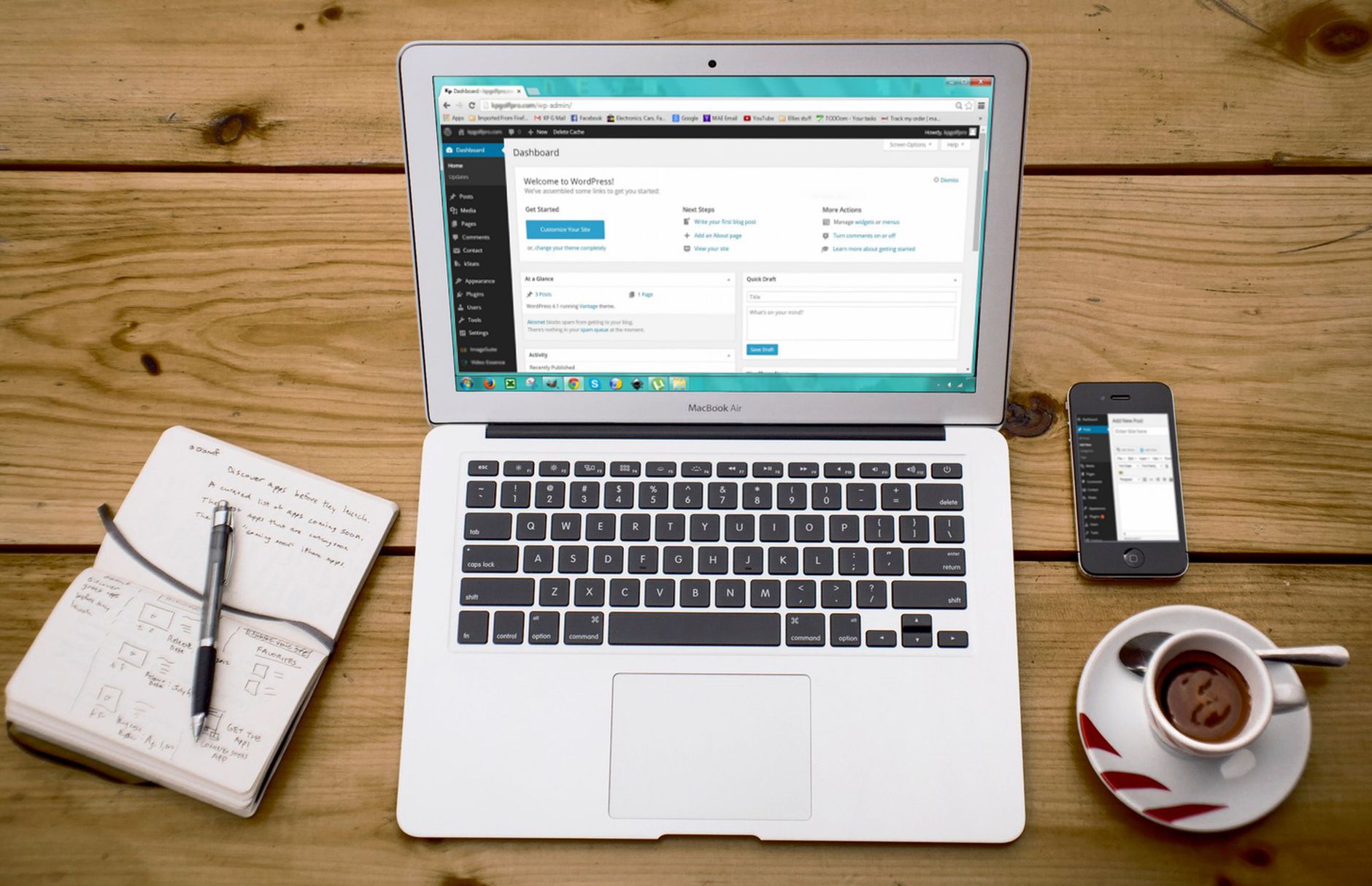
WordPress is the platform that powers approximately 43 percent of all websites on the internet. It is free, open-source, infinitely customisable, and has the strongest SEO capabilities of any mainstream website platform. For a small business that wants a website that ranks on Google, converts visitors, and can grow with the business over time, WordPress is the default choice for most professional web designers for good reason.
Setting up a WordPress website involves several steps. First, register your domain and purchase WordPress hosting — most managed WordPress hosts provide a one-click WordPress installation that sets up the core software automatically. Second, choose a theme — the design template that controls your site’s appearance. Lightweight themes like Hello Elementor, Astra, or GeneratePress are designed for performance and work well with page builder plugins. Third, install a few essential plugins. You’ll want a page builder (Elementor is the most widely used), an SEO plugin (Rank Math or Yoast), a caching plugin (LiteSpeed Cache or W3 Total Cache), a security plugin (Wordfence), and a contact form plugin (Contact Form 7 or WPForms).
Page builders allow you to design your pages visually without code. Elementor’s drag-and-drop interface lets you build professional page layouts by placing and configuring widgets — text blocks, images, buttons, forms, testimonials, galleries — without writing a single line of HTML. The learning curve is steeper than a website builder like Wix, but the control and capability are significantly greater.
The Pages Every Business Website Needs
Regardless of platform, a functional small business website requires the same core pages. Each serves a specific purpose in the visitor’s journey from awareness to enquiry.
The homepage is the most important page on your site. It needs to communicate within three seconds what you do, who you do it for, and what the visitor should do next. A headline that names your offer and your audience, a clear primary call to action, and social proof (testimonials, client logos, or case studies) above the fold will outperform any amount of decorative design.
The services page is where buying decisions happen. Describe each service in terms of outcomes rather than features, show pricing or starting prices, explain your process, address common objections, and include a clear call to action. Read our detailed guide on how to write a services page that converts for the full breakdown.
The about page builds the human connection that justifies choosing your business over a competitor. It should tell your story specifically — not a generic mission statement but the real reason you started the business, what you are particularly good at, and why that matters to your clients. A genuine photo of you is more persuasive than any stock image.
The contact page is the final conversion step. Keep the form short (name, email, message), display a phone number and email address, and add a one-sentence note about your response time. Every extra friction point between a visitor deciding to enquire and actually completing the enquiry costs you leads.
Writing Your Website Content
The most common reason professionally designed websites underperform is poor copy. Design attracts attention and builds credibility. Copy converts that attention into action. Most small business website copy makes two consistent mistakes: it leads with the business’s credentials rather than the client’s problem, and it uses generic, unverifiable claims rather than specific, distinctive ones.
Before writing any page, answer these questions: who is reading this page, what do they most want to know, what are they most worried about, and what do I want them to do after reading it? Every sentence on the page should serve one of those purposes. Sentences that do not — mission statements, corporate history, generic competency claims — should be cut.
AI writing tools like Claude and ChatGPT are useful for generating first drafts of website copy when you give them a thorough brief including your business specifics, your audience description, and examples of the tone you want. Every AI draft requires substantial editing to add specific details, accurate claims, and your authentic voice before it is ready to publish.
Making Your Website Rank on Google
A website that is not optimised for search engines is only findable by people who already know your business name. Organic search traffic — visitors who find you by searching for a problem your business solves — is the highest-intent, highest-value traffic available, and it is free once your site is ranking.
Basic SEO setup for a new WordPress website covers a few core steps. Install Rank Math or Yoast SEO and fill in your meta titles and descriptions for every page, submit your XML sitemap to Google Search Console, set up a Google Business Profile if you serve a local area, and start a content marketing strategy — publishing blog posts that target the specific questions your potential clients search for.
Page speed is both an SEO ranking factor and a conversion factor. Run your site through Google PageSpeed Insights after launch and address any critical issues flagged. Image optimisation (compressing images before uploading), caching (LiteSpeed Cache or similar), and choosing fast hosting are the three interventions with the largest impact on load time. At Aesthetic Web Studio, every website we build includes full SEO setup from day one. Get in touch to discuss your project, or read our guide on how much a small business website costs to understand what professional help looks like at every budget.
Maintaining Your Website After Launch
A website is not a finished product at launch — it is a living asset that requires ongoing attention. WordPress core, theme, and plugin updates should be applied monthly to maintain security and performance. Your site should be backed up automatically (most managed hosts include this) so you can restore a clean version if something goes wrong. Google Search Console should be checked monthly for any new crawl errors, indexing issues, or manual actions.
Your content should be reviewed at least twice per year to ensure it accurately reflects your current offering, pricing, and team. Pages that were written at launch often become outdated as the business evolves, and outdated content can actively harm your credibility with potential clients who notice the discrepancy.
Before publishing, check your meta title and description length with our free meta title and description checker. It shows a live Google SERP preview so you can see exactly how your page will appear in search results.
Get a personalised estimate for your project with our free website cost calculator. Answer 6 quick questions and get an instant cost range with no obligation.
Keeping your site updated and secure is essential. Learn about our WordPress maintenance plans starting from $99/month.
Need professional help with your SEO? Our SEO optimisation service covers keyword research, on-page SEO, technical fixes and content strategy for small businesses.
Looking for a professional WordPress developer? Our WordPress web development service covers everything from simple business sites to complex custom builds.
Track your word count, reading time and keyword density instantly with our free word count checker — no signup required.
Related reading: How Much Does a WordPress Website Cost in 2026? | How to Get Clients as a Web Designer in 2026 (Practical Guide) | 10 Small Business Website Mistakes That Cost You Clients (2026)
Frequently Asked Questions
How long does it take to make a website?
A simple website builder site can be live in a single afternoon. A custom WordPress website built from scratch by a professional typically takes 2 to 6 weeks from kick-off to launch, depending on scope and how quickly the client provides content and feedback. A DIY WordPress site built by someone learning the platform for the first time typically takes 2 to 4 weeks of part-time effort to reach a publishable standard.
Do I need to know how to code to make a website?
No. Modern website builders and WordPress page builders allow you to design and build professional websites entirely through visual interfaces without writing any code. Understanding basic HTML and CSS is helpful for making small customisations, but it is not a prerequisite for building a functional, professional-looking website using current tools.
How much does it cost to make a website?
A DIY website using a website builder costs $10 to $25 per month including hosting. A DIY WordPress website costs approximately $5 to $15 per month for hosting plus $10 to $20 per year for a domain, with optional paid themes and plugins adding $50 to $200 per year. A professionally designed WordPress website from a freelancer or boutique agency costs $1,500 to $5,000 for a small business site, with ongoing maintenance typically costing $50 to $150 per month. Read our full breakdown of WordPress website costs for a detailed guide at every price point.
If this was useful, tell Google you want more of it.